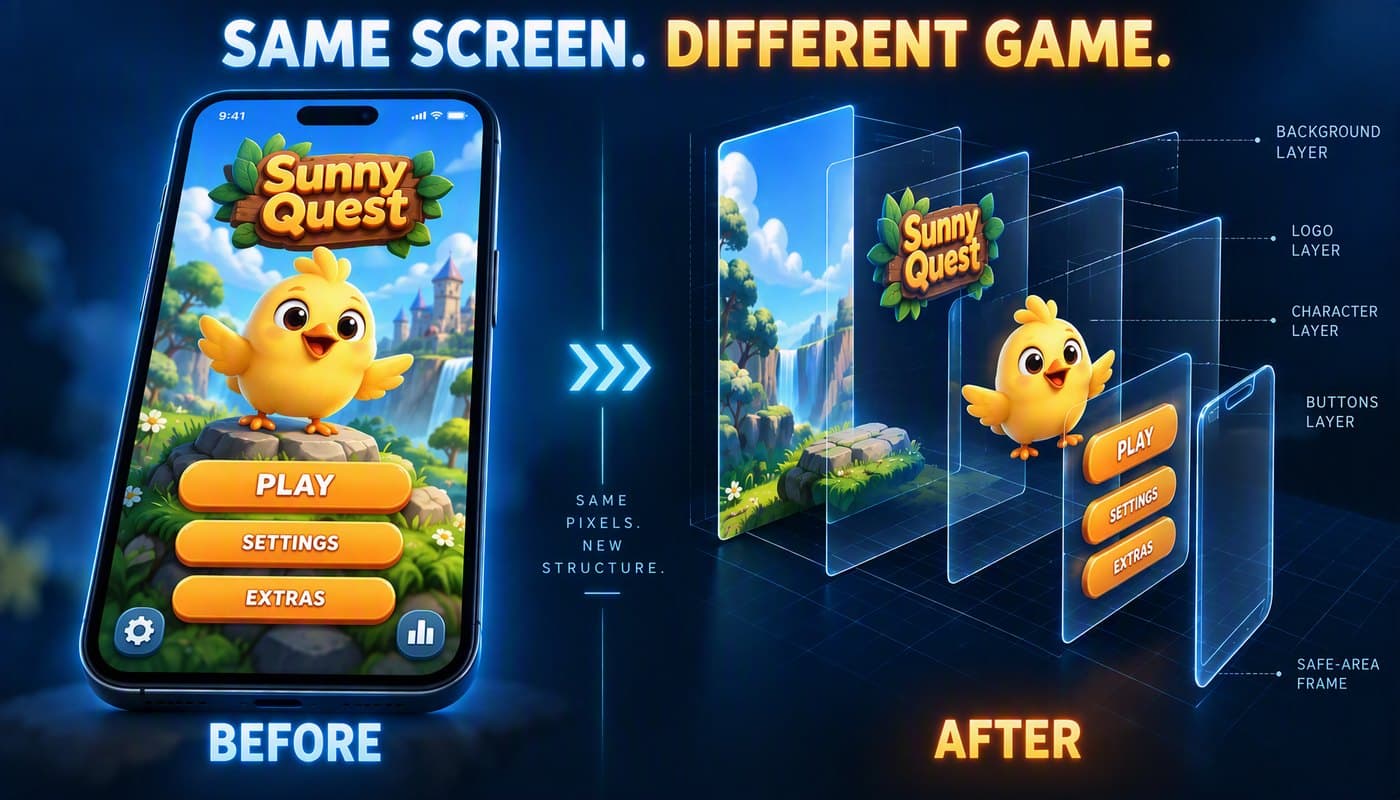
In September Unity shipped official AI plugins for two coding agents: Claude Code on September 9, and OpenAI Codex on September 16. Both come with the Unity CLI and live editor control. The Codex one includes 31 skills written by Unity's own engineers (uGUI, UI Toolkit, 2D, URP, Shader Graph, Physics, IAP and more).
Honestly, I expected a minor upgrade. So the day after the release I gave Codex and the Unity plugin a real job to find out.
It turned out to be much more than that.
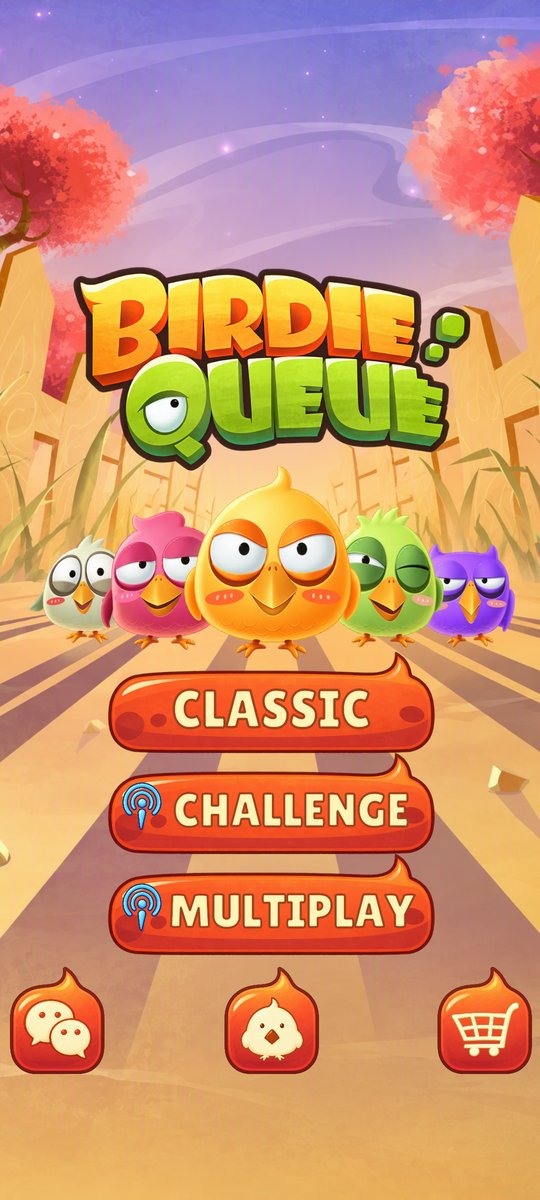
For the test I needed a menu to rebuild, so I grabbed a small game menu mock I found on Google. The logo says "Birdie Queue". I used it only for testing, and asked for a working Unity main menu: real buttons, real text, separate art. Not a screenshot with invisible hotspots on top.
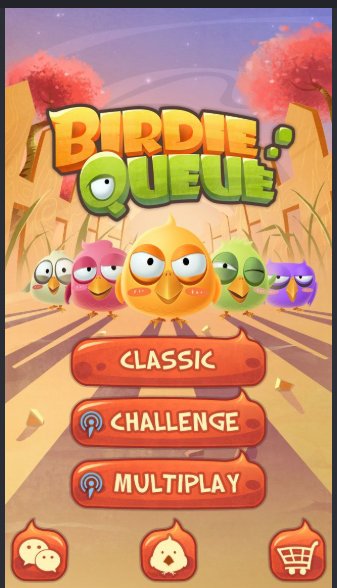
About this image: this is a mock I found on Google, used only for testing. It is not my game and not an SBS Games project, and I didn't check who owns it. All credit for the original design, characters and art belongs to its creators. I use it here only as a reference for a technical test. The recreated assets below were made only for this experiment and are not used in any product. If this is your game, please contact me and I'll gladly credit you properly or remove it.
That's the whole input. 337 × 588 pixels.
Here's what happened, including the parts that didn't work the first time.
Disclaimer First
The art isn't mine (see the note above). One menu, one session, one project. The buttons work, but they don't lead anywhere yet. Nothing was tested on a physical phone. And Codex did the work. My job was directing it, which turned out to be the interesting part.
Step 1: Getting It Connected
The plugin has three layers, and from the outside they look like one thing:
- Skills tell the agent how to do a task, like building uGUI.
- Unity CLI gives it commands it can run from the terminal.
- The Unity Pipeline package (
com.unity.pipeline) exposes the running editor to those commands.
Installing the plugin itself is two commands (Unity's install guide, source on GitHub):
codex plugin marketplace add Unity-Technologies/unity-agent-plugin
codex plugin add unity@unity-agent-plugin
After that, the skills show up under /unity: in Codex.
Having the skills installed doesn't mean the agent can touch your editor. Codex installed the CLI (1.0.0-beta.10), added the Pipeline package (0.7.0-exp.1) to my Unity 6.4 project, and then checked that it was really connected by reading the live scene hierarchy back to me.
Two bumps on the way:
- The package install failed with a Windows
EPERMerror while renaming a folder insideLibrary/PackageCache. Permissions were fine, and refreshing didn't help. I never found out the real cause. - The skills and the plugin didn't work at first. Installed was not the same as working. It only started working after I restarted both Unity and the Codex terminal.
The fix for both was the same boring one: restart everything. Not a big deal, but it would have stopped someone who's new to this.
Step 2: "I Prefer HD"
Codex's first draft was the right structure: a separate scene, a Canvas at 1080 × 1920, an EventSystem, six real buttons, and keyboard/controller navigation between them.
But the art was the mockup itself, stretched to fill the screen. That's a 3.3× upscale of a tiny image. It looked blurry, and nothing could be edited: the button text was painted into the picture.
So I told it: "we need to slice the art / generate art / download."
The catch is that you can't just cut the mockup into pieces. There's scenery hidden behind the logo and the birds. The button text is painted on top of the button. Cropping can't give you what's underneath.
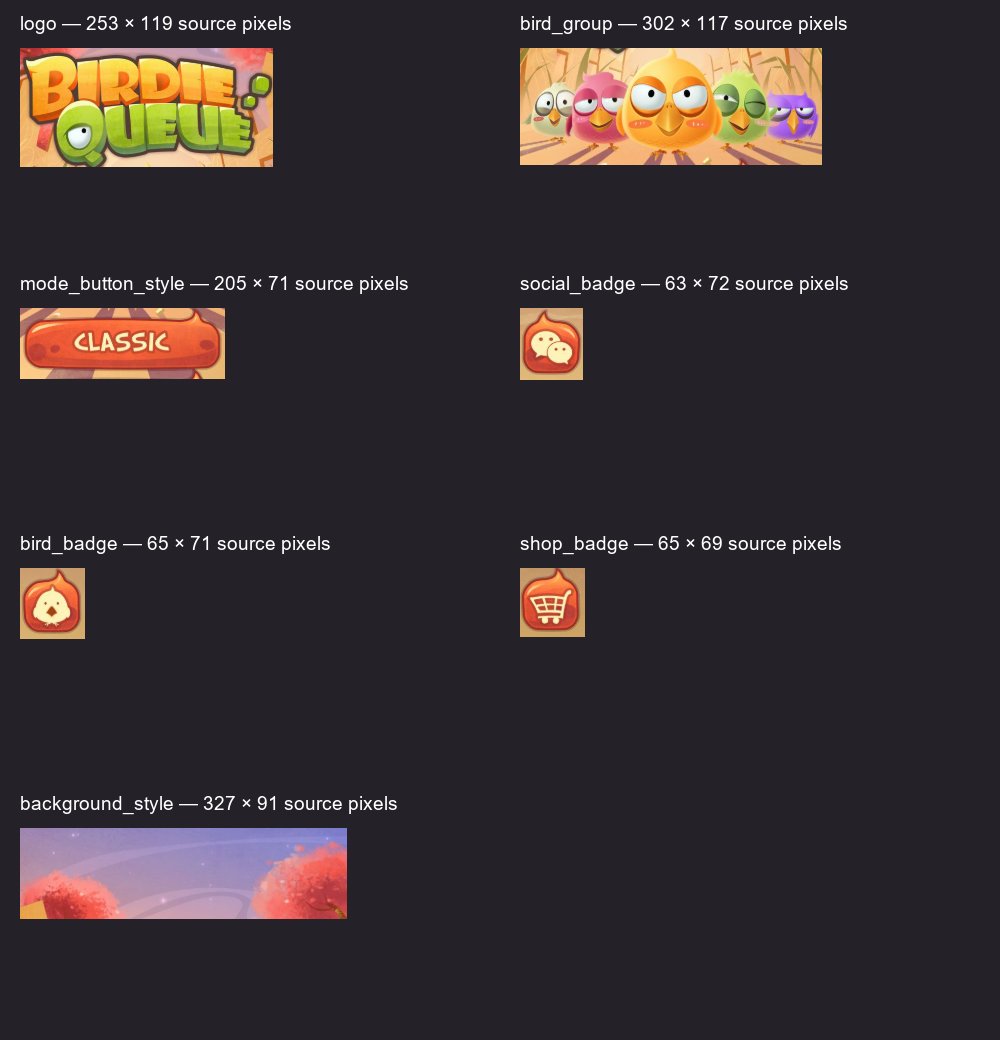
These crops became references, not assets. Look at the sizes: the shop badge is 65 × 69 pixels.
Step 3: Asking Where the Art Comes From
Codex first suggested OpenArt. I stopped it and asked the questions you should always ask an agent before it spends money for you:
"explain to me, open art from where will it generate? what money? what model?"
Then I pointed it at my own image setup from another project: GPT-Image-2.5-sunburst on my Azure account, the same model I tested in my sprite animation experiments. It found the setup, read my notes, and used it.
It split the mockup into nine assets:
| Asset | Why it's separate |
|---|---|
| Background | Fills any screen shape; the hidden scenery gets painted in |
| Logo | Scales and moves on its own |
| Bird group | Five birds as one image, so their overlaps stay right |
| Mode button (blank) | One skin for three buttons with editable text |
| Footer badge (blank) | One frame for three icon buttons |
| 4 icons | Social, bird, shop, broadcast - separate from their frames |
Each asset was one edit request: the crop goes in with a prompt like "remove the text from the button body" or "keep the exact logo lettering". The eight isolated assets came back with real transparency, and Codex cropped away the empty margins so the images sit where Unity says they sit.
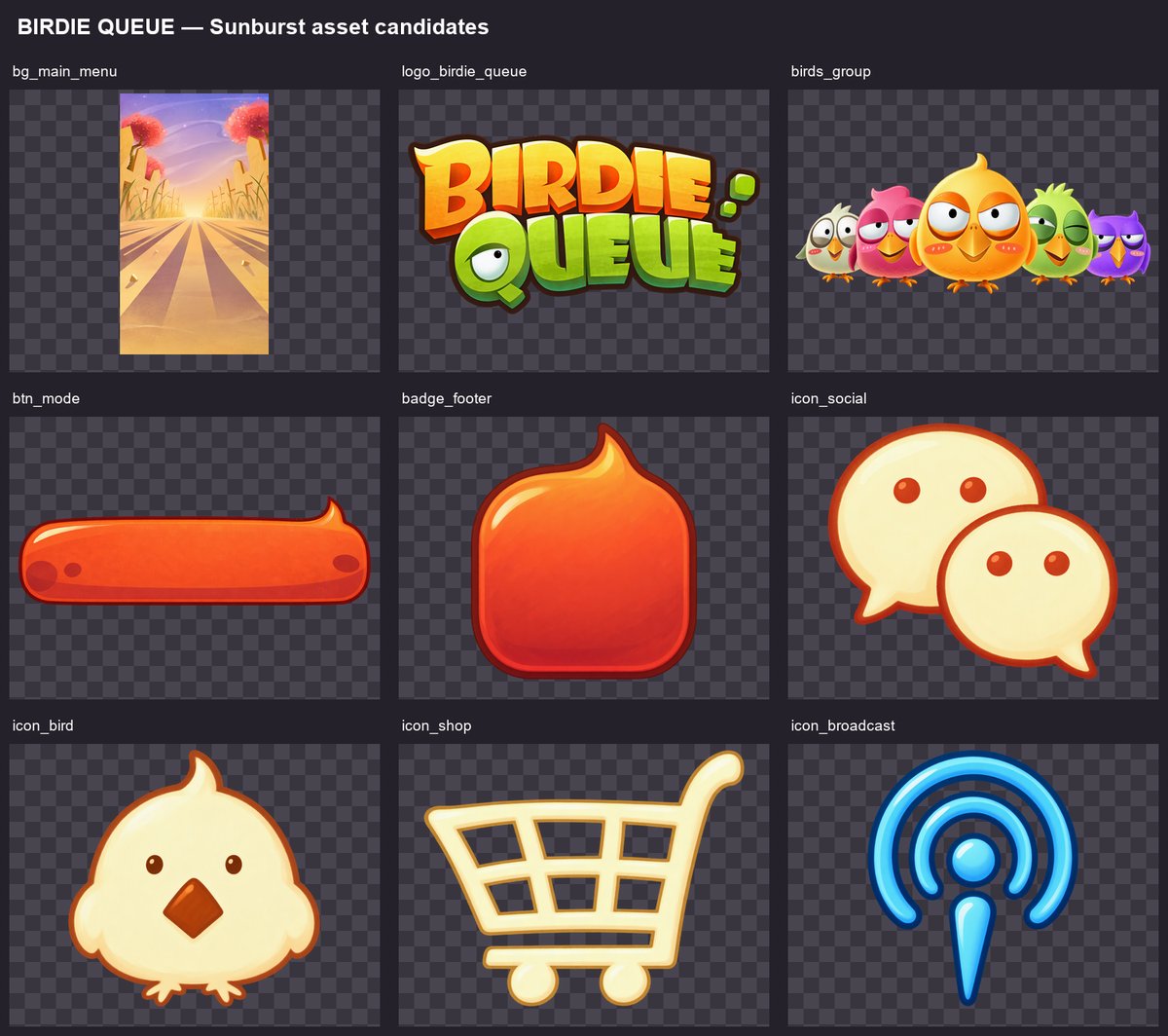
Nine requests, all successful on the first try, 19,644 tokens in total. All nine prompts ran in parallel.
What That Cost
Image models bill by token, like text models. My generations ran on my own Azure deployment, and Microsoft doesn't publish a price for image models (I checked their price API and the pricing page). So I'm applying OpenAI's public rate for this model family: $5 per 1M text input tokens, $8 per 1M image input, $30 per 1M image output.
Each request returned its own token counts, so here's the whole batch:
| Asset | Text in | Image in | Image out | Cost |
|---|---|---|---|---|
| Bird group | 207 | 1,024 | 1,756 | 6.2¢ |
| Mode button | 192 | 1,024 | 1,756 | 6.2¢ |
| Broadcast icon | 148 | 1,024 | 1,756 | 6.2¢ |
| Logo | 184 | 1,024 | 781 | 3.3¢ |
| Footer badge | 164 | 1,024 | 781 | 3.2¢ |
| Bird icon | 146 | 1,024 | 781 | 3.2¢ |
| Shop icon | 140 | 1,024 | 781 | 3.2¢ |
| Social icon | 145 | 1,024 | 781 | 3.2¢ |
| Background | 206 | 608 | 139 | 1.0¢ |
| Whole menu | 1,532 | 8,800 | 9,312 | $0.36 |
About 4 cents per asset. 36 cents for the set. Ten menus would be $3.60. If every asset needed one retry, 71 cents.
Two things stand out. The output is the bill: 28 of those 36 cents are image output tokens. Sending a reference image in costs almost nothing, so review your prompt before you spend, not your reference. And the more the model draws, the more you pay: the three assets that came back with detailed shapes cost 6 cents each, while the background, which came back as a flat 1024 × 1792 image with no transparency to resolve, cost one.
This is an estimate from a public rate card, not a bill I received; my Azure account may charge differently. It covers the image generation only, not what the agent itself spent building the menu.
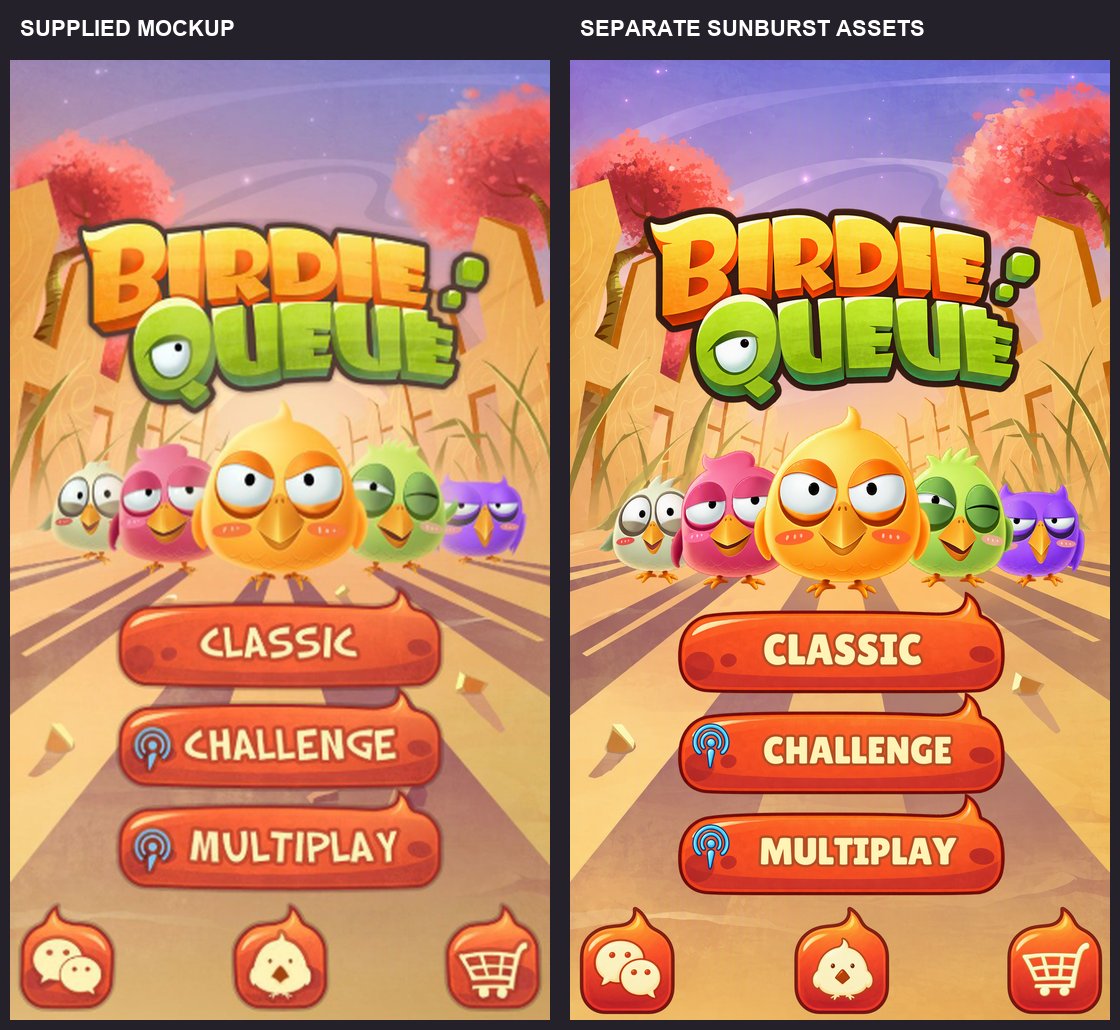
It's not a perfect copy. The bird icon grew wings and feet. The outlines got darker and sharper. I was fine with that, so I approved it and moved on. But notice it: the model interprets the art, it doesn't just restore it.
Step 4: Into Unity
Codex took the approved art and built the menu:
- Screen Space - Camera Canvas, scaled from a 1080 × 1920 reference
- A portrait frame that keeps the layout's proportions on any screen
- Editable TextMeshPro labels in Lilita One (a free Google font, license included)
- Normal / highlighted / pressed / disabled states on every button
- Explicit navigation: Classic → Challenge → Multiplay → footer
Three things went wrong along the way, and all three are worth knowing:
The outline didn't show up. Setting the TextMeshPro outline width and color did nothing. The material also needed the OUTLINE_ON keyword turned on and saved.
The background covered everything. Moving objects inside the prefab put them in the wrong order, so the background was drawn on top of the logo and birds. Codex caught it from the screenshot, fixed the prefab, and added a draw-order check to its tests so it can't happen silently again.
The click test failed. It checked clicks in Edit Mode, where the raycasters aren't running. Same test in Play Mode: it passed. Now the test refuses to run outside Play Mode.
And this is what we got:
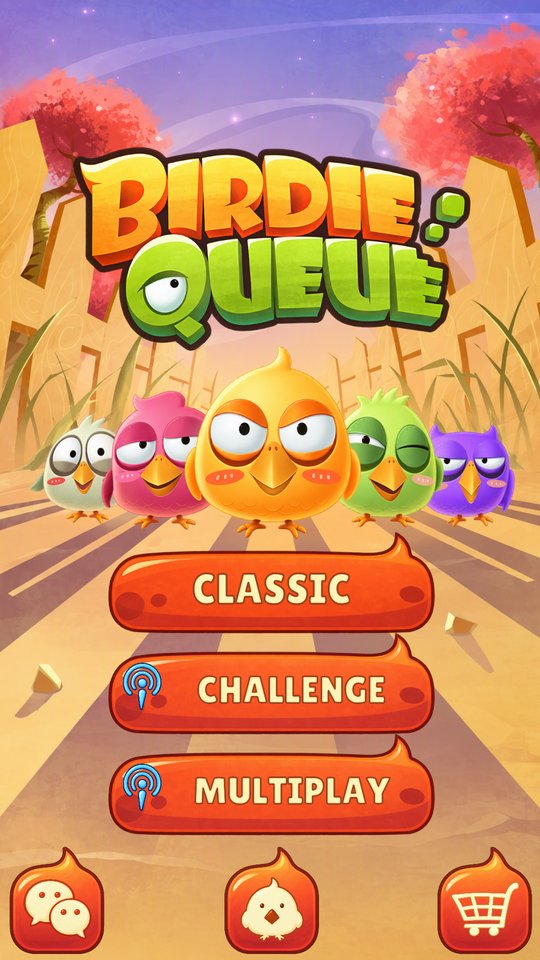
It looked done. If this were my game, I would have shipped it.
Step 5: The Audit
In my other project I have a written file of UI rules. Ten of them. A screen that breaks any of them is rework, not a matter of taste.
So I asked Codex: "look again at the UI rules I have there, how I like my UI, check if need to do any fixes."
It read the file, checked the menu against every rule, and found that a menu I had already approved didn't fully follow most of them. Here's what it changed:
| My rule | What the audit did |
|---|---|
| TextMeshPro only | Confirmed: no legacy Text anywhere |
| Every number in 1080 × 1920 units | Replaced layout numbers that were still in mockup pixels |
| Clear hierarchy, named by role | Kept the role-based names and groups |
| Empty holders wrap visuals | Moved every Image off the buttons into child objects |
| A tree, not a flat list | Added nested holders for labels and icons |
| A child never exceeds its parent | Replaced an oversized background and fitted every sprite inside its holder |
| One safe-area root under the Canvas | Added one, and moved the whole screen under it |
| One job per object | Split safe area, cropping, layout and graphics apart |
| Prefabs and nested prefabs | Turned six buttons into instances of two reusable prefabs |
| Raycasts only where clickable | Only button backgrounds catch clicks; masking off |
Now look at the two versions side by side again:
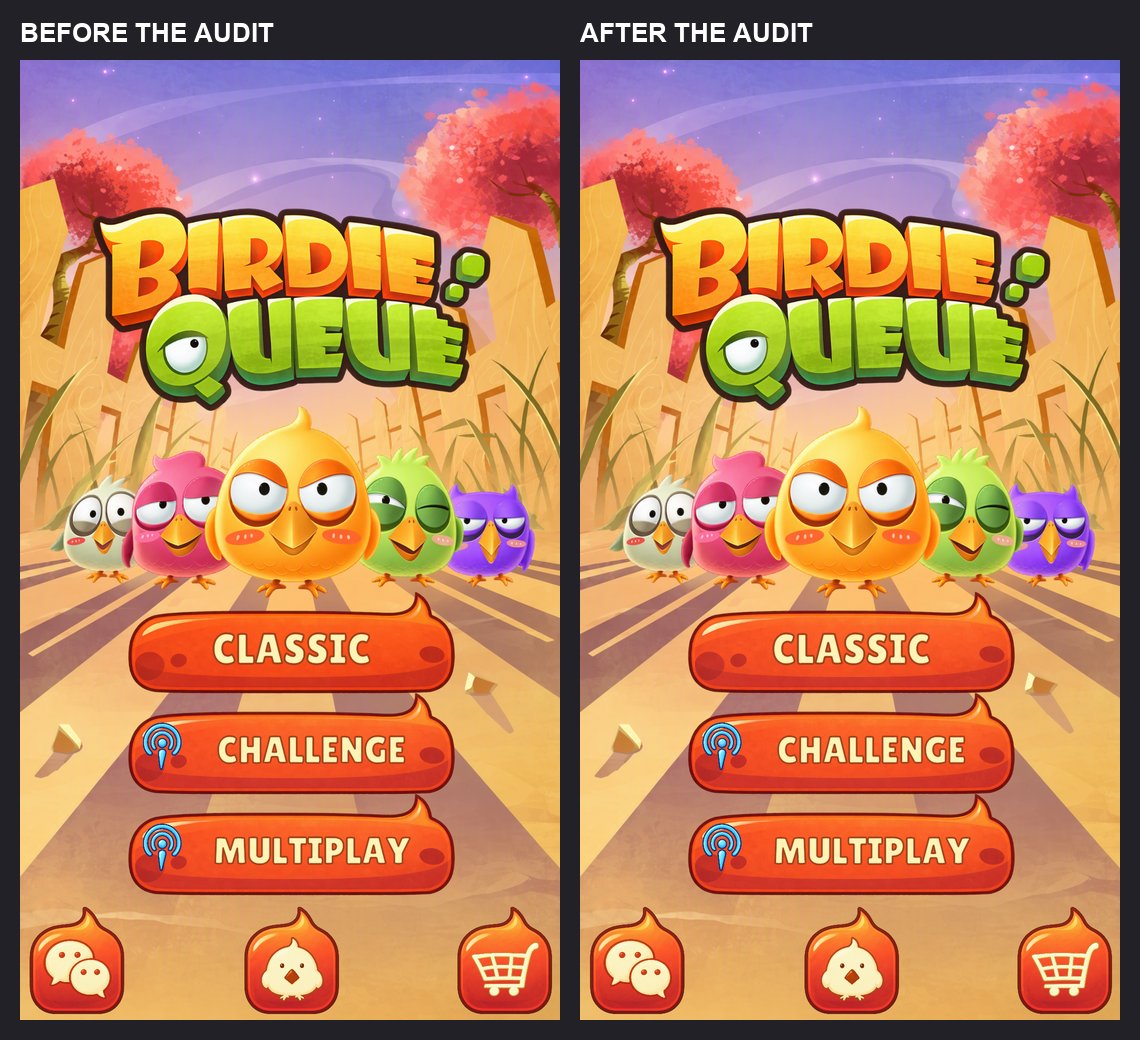
They look the same. That's the whole point. Everything the audit fixed is invisible in a screenshot. It only shows up later: when a phone has a notch, when you add a seventh button, when a designer asks to change a button everywhere at once.
If I had judged the menu by how it looked, I would have approved all of that.
Two Fixes Worth Copying Into Your Own Project
The background problem. The background used Unity's EnvelopeParent to fill the screen. That works, but it makes the image bigger than its parent, which breaks my rule. The fix: a stretched RawImage that crops the texture through its UV rectangle instead. If the holder's aspect ratio is r, the UV width is min(1, r) and the UV height is min(1, 1/r), centered. Same "cover" result, nothing sticks out, no mask needed.
The safe area. One component on the only child of the Canvas. It watches Screen.safeArea and the screen size every frame, and it runs in the editor too, so resizing the Game view moves it. Codex added an editor-only override to fake a notch:
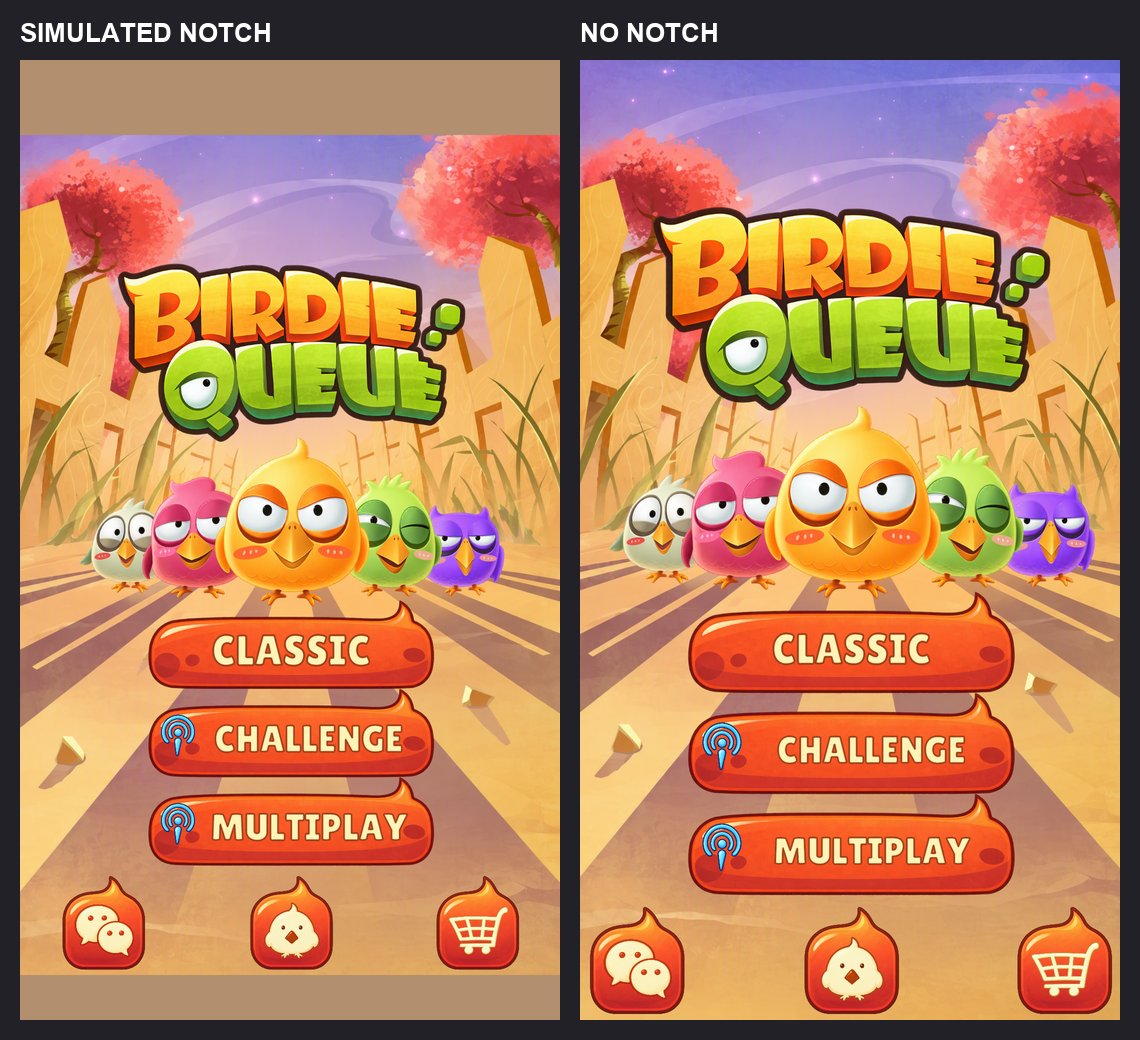
The plain bands on the left aren't a bug. My rule says everything goes inside the safe area, including the background, so the notch area shows the camera's background color. If you want the scenery to reach the edges, that's a different rule. Decide it on purpose.
How It Tested Itself
This is the part I liked most. Codex didn't stop at "here's a screenshot". For every button it:
- Found the center of the button on screen
- Asked the EventSystem what's under that point
- Checked that the top hit belongs to that button
- Sent a fake click and counted that it arrived
Plus: exactly one EventSystem, all three labels fit, the foreground draws above the background, no child is bigger than its parent, and all six buttons are linked to the two prefabs.
It ran all of it on four screen setups:
| Screen | Result |
|---|---|
| 1080 × 1920 | Pass |
| 1080 × 2400 (tall phone) | Pass |
| 150px notch + 90px home bar (simulated) | Pass |
| Resized to 1920 × 1080 landscape | Pass |
One trap here too: Unity's screenshot command saves at 1280 × 720 by default, even for a portrait game. The first capture came out stretched. Pass the width, height and max resolution yourself.
What It Didn't Do
To keep this honest:
- The buttons don't go anywhere. They click, highlight and navigate. There are no game modes behind them.
- No real phone. The notch was simulated in the editor. No device build, no real touchscreen.
- No animation. The five birds are one image.
- English only. The font atlas covers basic Latin characters. Hebrew would need more work.
- The art isn't a perfect copy of the mockup. I approved the differences; they didn't go away.
What I Took From It
The plugin is good at Unity. It knew about OUTLINE_ON, Play Mode raycasts and prefab APIs. That's exactly what Unity's own skills are supposed to fix: AI answers that are almost right.
But it didn't know my rules until I pointed at them. The uGUI skill builds a good uGUI screen. It doesn't know that I want holders around every image or everything under one safe area. That lives in my file, not in Unity's.
So write your rules down. A written rule file turned "looks good to me" into ten checks an agent can run. Without it, I would have approved a menu that only looked finished.
The art was the cheap part. Nine production assets cost about 36 cents.
And the decisions that mattered were mine: HD instead of a stretched screenshot, my own image model instead of a new service, and my rules instead of the defaults. The agent did the work. Directing it well is still the job.
Links
- Unity's plugin for Codex - install guide
- Unity's plugin for Claude Code - the same idea for Claude (Claude plugin page)
- About Unity's plugin - the full skills list
- unity-agent-plugin on GitHub - the plugin source
- Meet the Unity CLI and the Unity CLI reference
- OpenAI Codex
- Unity's announcements: Codex plugin · Claude Code plugin
- uGUI manual
Rather talk it through with other devs first? Join our GameDev AI community.