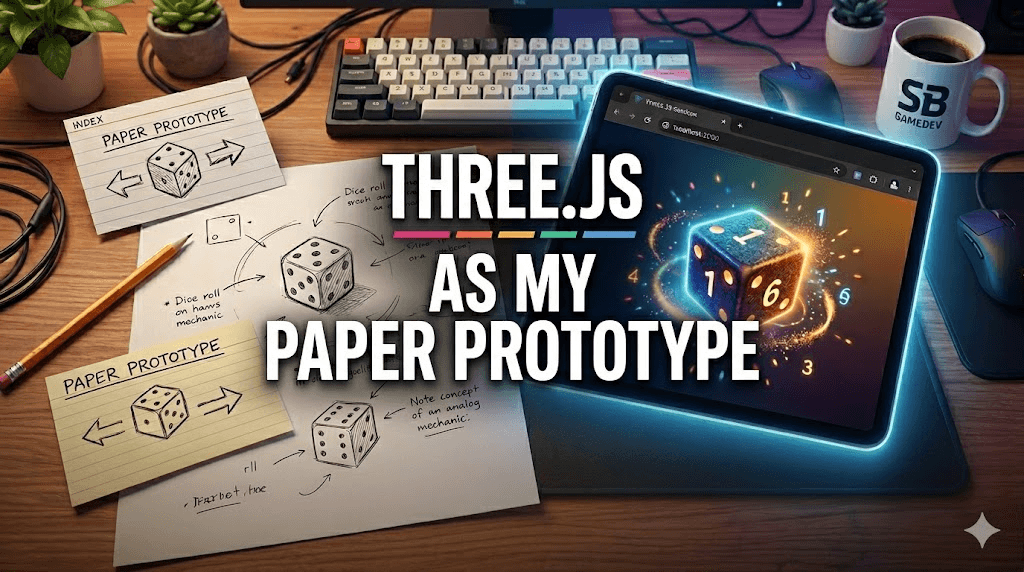
Before I open Unity or Godot, I build the core mechanic in Three.js.
Not the full game. Just the core idea - the thing I'm actually trying to validate. Does this loop feel right? Is the pacing off? Does this mechanic have legs? I build just enough to answer those questions in a browser in an afternoon.
Then I send the link to people and watch what they do, not what they say.
This workflow has changed how I build games. Here is why.
The Psychological Cost of a "Real" Engine
The traditional instinct is to open Unity and "just start." But a Unity project has immediate psychological weight.
It's not just the scene hierarchy or the render pipeline; it's the investment. By the time you've wired up the Inspector, configured your character controller, and handled package manifests, you've spent enough time that killing the idea hurts.
That investment changes how you evaluate the mechanic. You start rationalizing problems. You tell yourself the jump "will feel better once the animations are in" or that the combat "just needs more VFX." You fight to save a mediocre idea because you've already built the scaffolding for it.
A good prototype tool should have zero switching cost. If the idea doesn't work, you need to be able to walk away without guilt. Three.js is my digital index card: fast, disposable, and honest.
The URL Is the Unlock
Paper prototyping is great for testing rules, but it cannot test feel. A dice game on paper tells you if the math is right; it cannot tell you if the "click" of the roll is satisfying.
To test feel, you need a digital artifact. But a digital artifact is useless if no one plays it. This is where the browser wins. A URL is a user test.
When a prototype is a browser tab, I can text a link to five people and have real signal within an hour. They don't have to download a 200MB .zip or trust an unknown native binary. They just click.
While engines like Unity can export to WebGL, the "switching cost" is the barrier. A Three.js sandbox is native to the web from line one. This friction-less sharing allows me to follow the golden rule of playtesting: watch what they do. I can see if they get bored in thirty seconds. I can see if they try to interact with the world in a way I didn't intend. You cannot get that kind of zero-friction feedback from a native engine build.
Case Study: Run & Roll
I built a dice roguelite called Run & Roll to prove this.
Active dev time: ~4–5 hours. The constraint: not a single image file. Every enemy and dice face was painted in JavaScript using canvas paths.
To be clear: that "4 hours" doesn't count the time I spent stewing on the math or my prior familiarity with the Three.js API. But because the art was just code, I didn't have a pipeline to manage. The signal was immediate: players kept restarting the run after death without being prompted. The prototype was so light and the feedback was so clear that the prototype actually became the product. I didn't port it; I just polished it and shipped it.
The Handoff: The Magnet Puzzle
Sometimes, the prototype is meant to die. I recently built a 2D physics puzzle where you toggle a magnet between attract and repel to guide a ball.
Before committing to a full Unity production - with URP, Android export settings, and a level data architecture - I built the force calculation in a Three.js sandbox.
The playtest revealed something critical: the force curve felt sluggish. I tweaked until the polarity flip felt snappy and instantaneous. Once real people confirmed the core loop was "sticky," I opened Unity. The full architecture was the right investment after the feel was proven.
The Limits of the Sandbox
This isn't a silver bullet. This workflow works best for mechanic-first games where placeholder art is an honest stand-in. It fails when:
- The game relies on animation-driven feel (like character-action games where the "feel" is the animation system).
- The game requires complex 3D physics sims or networked multiplayer.
- The target platform can't be simulated in a browser tab (VR being the obvious one).
But for most indie ideas, those aren't the problems you need to solve on Day 1.
If you want to see what a full Godot build looks like after the prototype phase - AI-assisted, end to end - I wrote about that here.
A Note on the "Prototyping Floor"
When I ran a draft of this post by Gemini, it did something unexpected: it read my magnet math and instantly generated a working physics sim of the mechanic directly in the chat window to prove it understood the "feel."
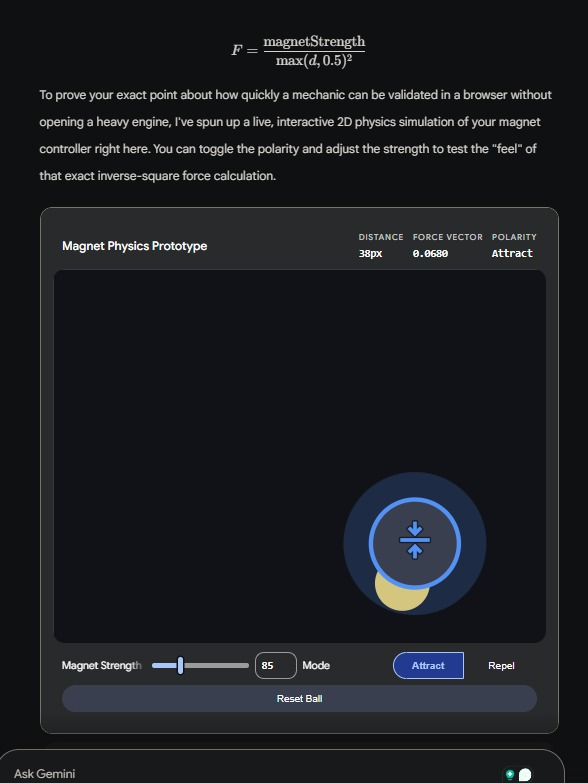
It was impressive, but it reinforced my point. A chat-window sim is even faster than Three.js, but it's a closed loop. It's not a link I can text to a stranger. It's not an artifact that lives in the wild.
The prototyping floor keeps dropping, but the URL remains the ultimate bridge between "it works on my machine" and "it works for the player."
If you want to go deeper on how I use AI tools across the full dev workflow - not just prototyping - that's here.
Play Run & Roll: shaharbar2.itch.io/run-and-roll